

Aktywne do:

Dokumentacja
Unit settings
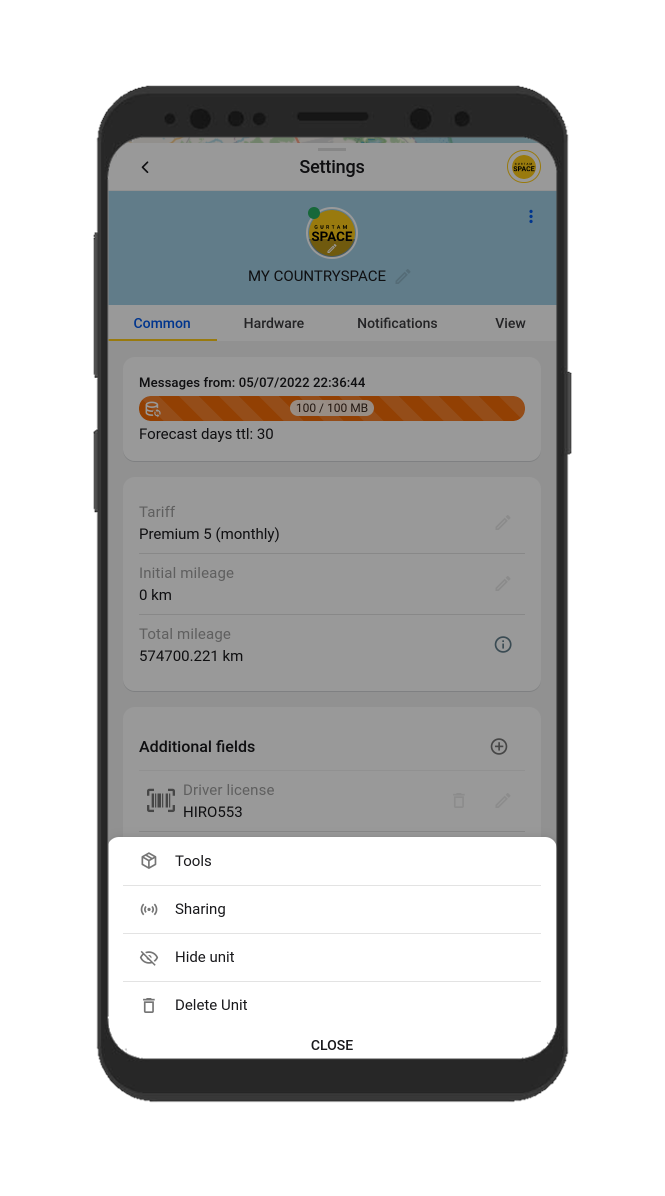
The unit settings hold the main settings of a unit and the actions that hide or delete it. They open from the three vertical dots in the upper right corner of the unit card, with Settings in the drop-down menu.
The settings are divided into tabs:
Icon and name
The icon and the name are set automatically when the unit is created. Selecting the icon edits it. Selecting the pencil icon next to the name edits the name.
Hide a unit
- In the unit settings, select the three vertical dots.
- Select Hide unit.
A hidden unit and its related information are not displayed. The unit is shown as hidden only in the Units tab. Selecting the eye icon next to the name of the unit makes it visible again.
Delete a unit
- In the unit settings, select the three vertical dots.
- Select Delete Unit.