

Aktywne do:

Dokumentacja
Export
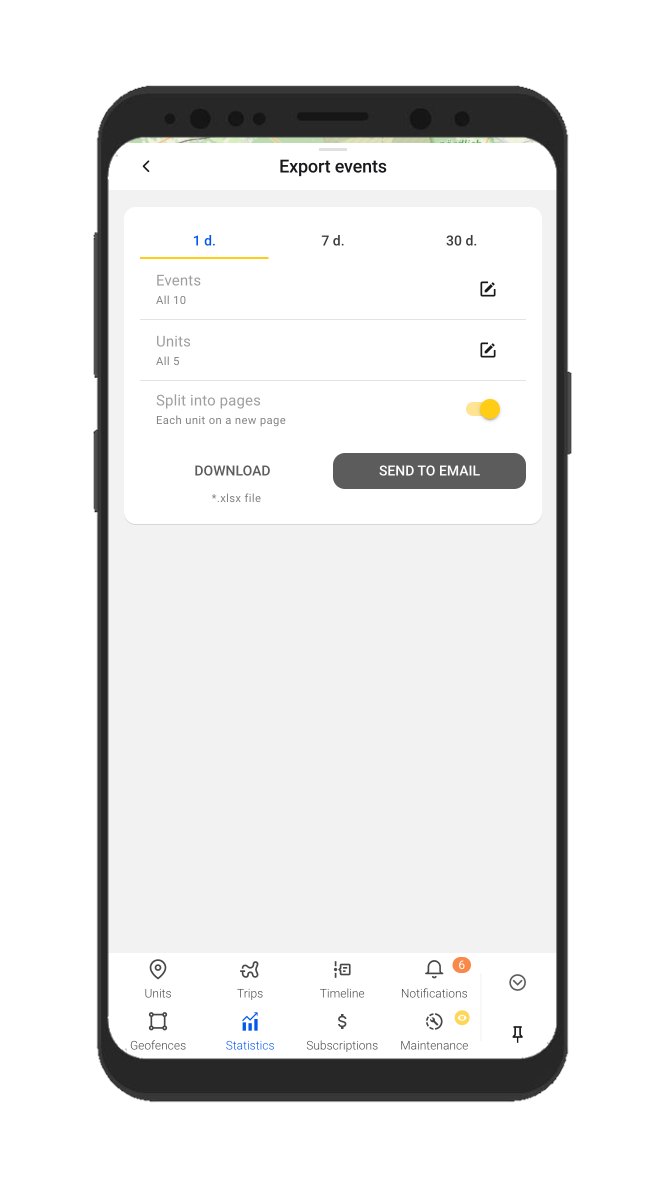
The Export events tab saves information about unit events to a file in .xlsx format.
- Select the units and events to include in the file.
- Select the time interval.
- When events of several units are exported, turn on Split into pages to put the events of each unit on a separate page.
- Select Download to save the file to the device, or Send to email.