


Aktywne do:

Dokumentacja
ToolBox
ToolBox shows the logs of the device's connections to the system and the messages the device sends. It requires a paid subscription.
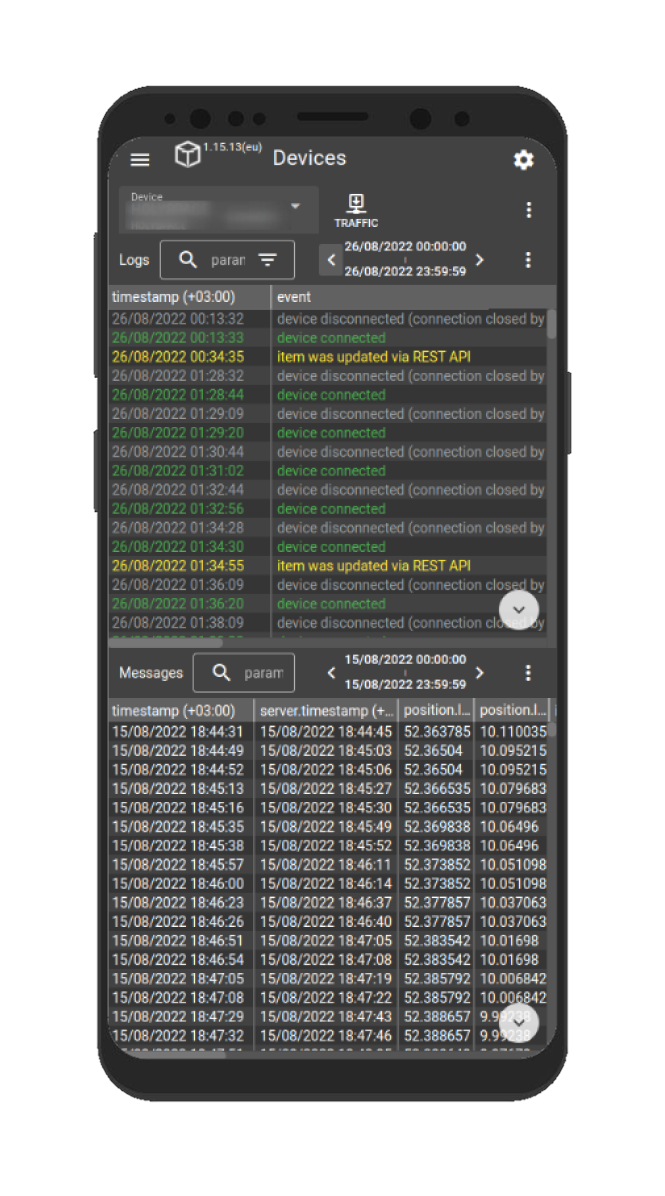
For both the connection logs and the messages, the interval of the displayed data is selected. The connection logs, the messages or both can be displayed.
- The connection logs are at the top. Selecting a log line shows its detailed description on the right.
- The messages are at the bottom. Selecting a message shows the complete list of parameters the device sent in it on the right.
Note: The complete dataset is available only for devices of the Vehicle and Pet categories. Connection logs are not available for devices of the Legacy category.