

Aktywne do:

Dokumentacja
History
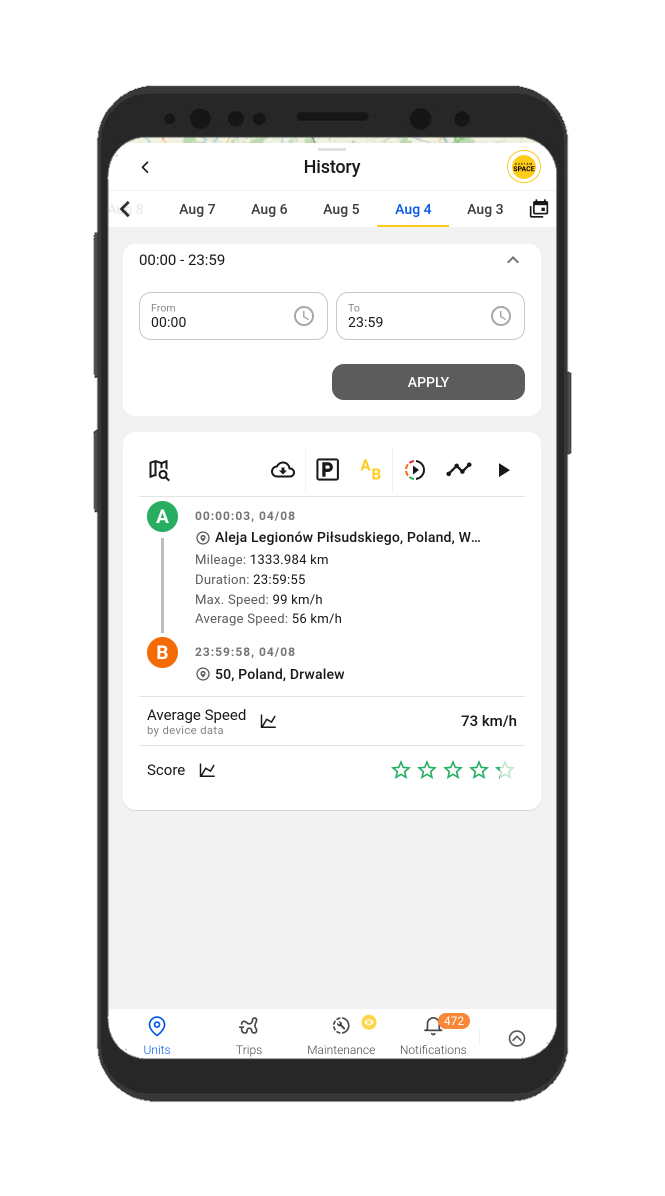
A track is a line on the map that reflects the movement of a unit, including its trips and the stops between them. The History screen builds the track of a unit for a day or a time interval.
History opens from the quick access button with the track image on the unit card, or from Unit menu → History. With a date or a time interval selected, the track appears on the map.
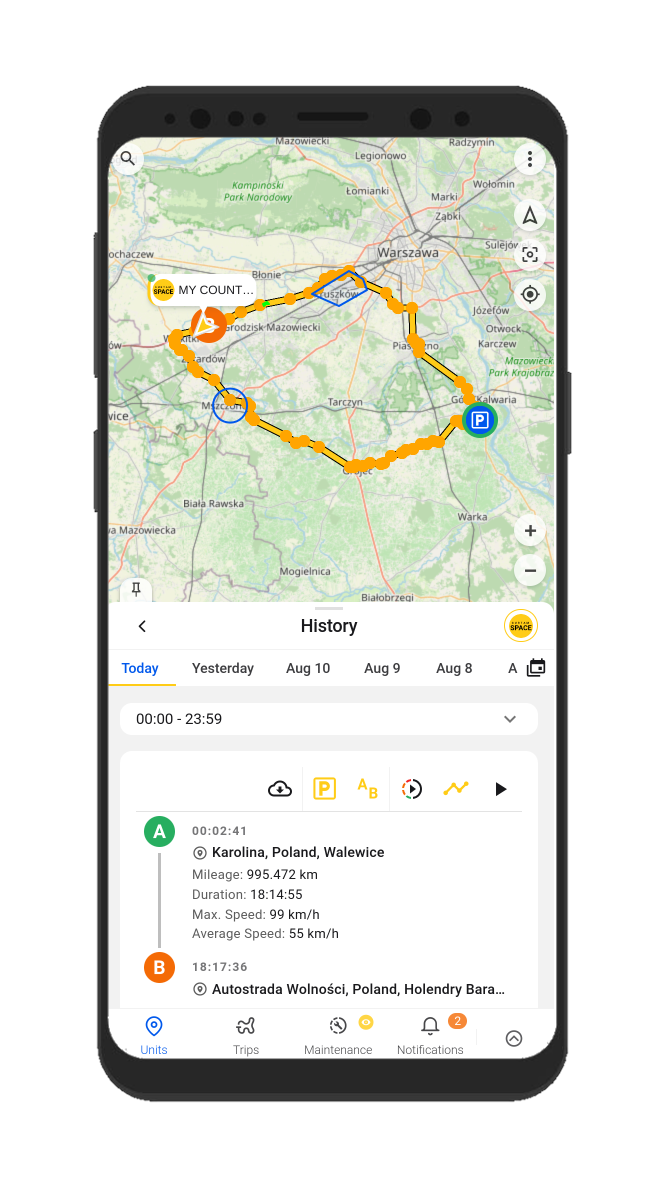
Track card
The track card shows:
- Mileage
- Duration
- Max. Speed
- Average Speed
- Begin fuel level and End fuel level
The card also offers:
- Export of the track in the formats .kml, .gpx, .geojson, .wln, .google and .xlsx.
- Icons for parking and for the start and end of the track, turned on or off.
- The track colored by the speed of the unit.
- Display of the track points.
- Smooth track playback.
- Track score and average speed, each with a graph.