


Active to:

Documentation
How to set up notifications on Telegram
Notifications are sent to Telegram by a bot. The bot is created in Telegram, and its authorization token is entered in the application.
Create a bot
- In Telegram, find the chat BotFather.
- Send the command
/startin the chat. BotFather replies with the list of its commands. - Send the command
/newbot. - Send a name and then a username for the bot when BotFather asks for them. BotFather replies with the authorization token of the bot.
More about bots: Telegram bots.
Connect the bot
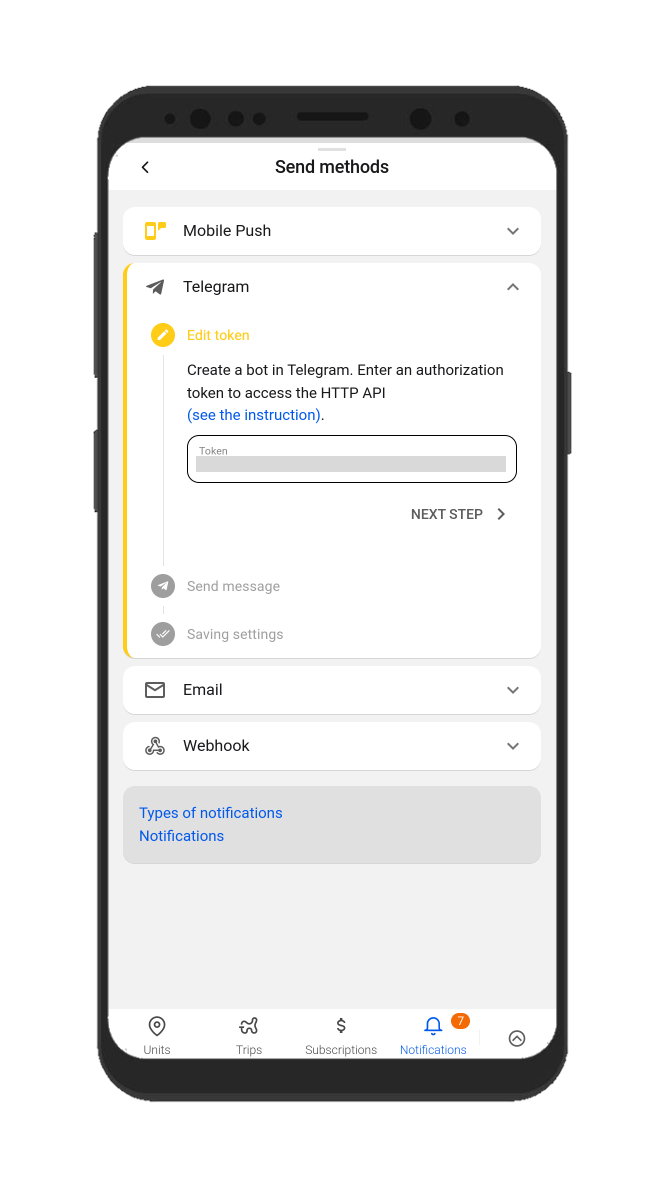
- In the application, open the Telegram section of Send methods and insert the authorization token in Token.
- In Telegram, define the chat the bot sends messages to: select the created bot, if only you receive the notifications, or create a group of the people who also receive them and add the bot to it.
- Send the command
/startto the bot or to the group with the bot. - In the application, select the Save icon next to the name of the chat, which now appears under the token.
- Select the types of notifications to receive in the drop-down list.
- Select the Save icon.
Note: Notifications must also be enabled in the unit menu, in Settings and Notifications.