


Активна до:

Документация
User menu
The user menu collects the account-level items of the application.
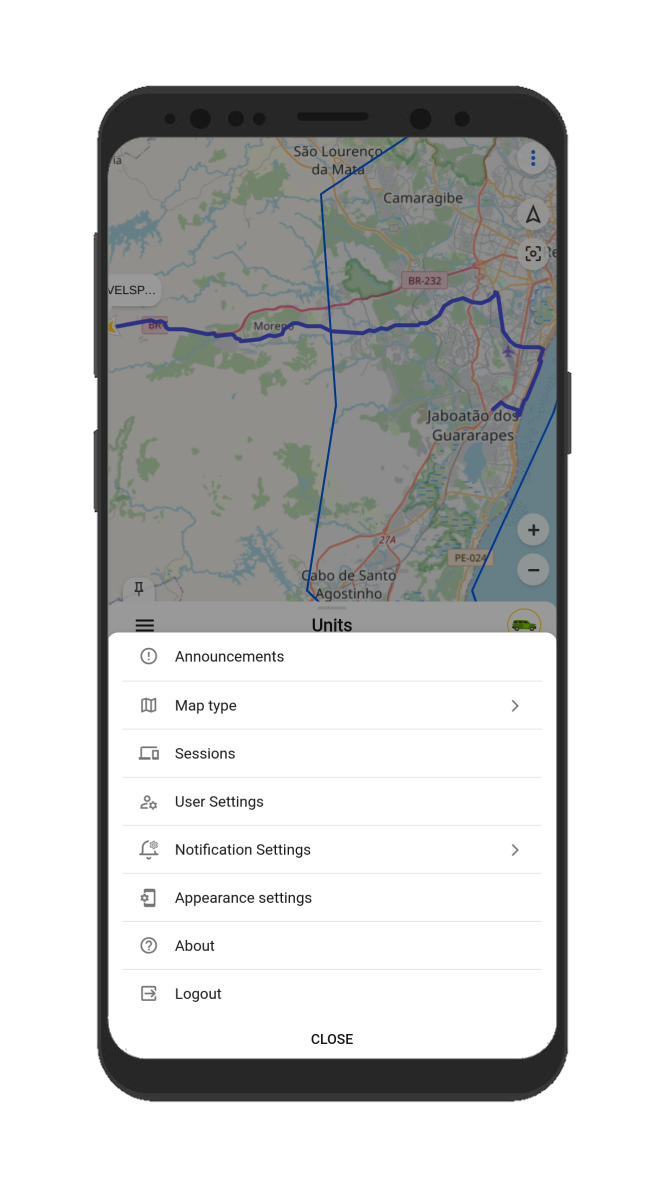
- Announcements shows system notifications about updates, service news and similar.
- Map type selects the type of map shown in the interface.
- Sessions lists the sessions of the account on various devices and manages them.
- User Settings holds the profile settings: username, password, language and measurement system. See User settings.
- Notification Settings sets which types of notifications are received and how they are sent. See Notification settings.
- Appearance settings controls the display of the interface and of various functions. See Appearance settings.
- About shows information about the application and its latest changes.
- Logout ends the session.